How to open and redeem a personal Lumi gift
If a friend or family member sent you a personal Lumi gift, open the email link, view the keepsake, then redeem by keeping items, swapping into any combination within the sender budget, or donating when available. Confirm shipping when ready. No account required.
Part 01
Open your personal Lumi gift
Start from the email. Your link is only for you, even if the sender also gifted someone else.
Step 1
How do I find and open my personal Lumi gift email?
Look for an email from Lumi with your name, the personal card message, and a preview of the selected items. Open the secure link in that email to start. You do not need a Lumi account. If you do not see it, check spam or promotions, then search for Lumi. Still stuck? Ask the sender to confirm the email address they used, or email hello@givelumi.com.
Step 2
What will I see when I open the gift box?
Inside the box you can view the digital card, personal photo, video, music, and voice note they included. Experience the keepsake first, then redeem the gift by keeping items, swapping within the sender budget, or donating when available. Your choices stay private to your link.
Part 02
Redeem: select, swap, or donate
Keep what fits, swap into any combination of items up to the sender's paid budget, or donate the value when charity is offered.
Step 3
How do I redeem by keeping the gift items?
If the selected items look right, keep them and continue to confirm. You can review the catalog options shown for your personal gift before you lock anything in. Keeping the original picks is the fastest way to redeem and ship.
Step 4
How do I swap when redeeming a personal Lumi gift?
You are not limited to a one-for-one exchange. When you open the Lumi link, you can keep some of the original items and change the rest, or rebuild the whole basket, as long as the new combination adds up to the sender's paid budget. Example: if the sender selected items A and B for $100 total, you can keep A and swap B for items X and Y, provided A + X + Y still equals $100. Use this for size, color, taste, or practicality. Your swap applies only to your gift link. When you are happy with the new mix, continue to confirm items and shipping.
Step 5
How do I donate instead of redeeming a product?
When donate is available, you can send the gift value to charity instead of receiving products. Choose donate in the gift box, then finish that step. Similar to swapping, this uses the sender's paid budget as the donation amount. If donate is not offered on your gift, keep or swap within the catalog instead.
Step 6
What email do I get after I choose to donate?
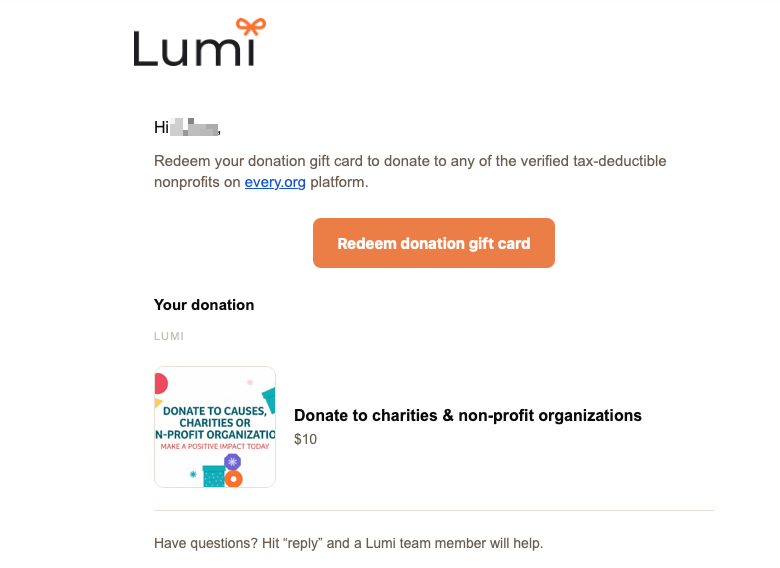
If you choose to donate, you will receive a separate email from Lumi with a unique link to donate to a charity of your choice for that amount. Open the link, then redeem your donation gift card on every.org to pick a verified nonprofit.
Part 03
Confirm shipping and tracking
Enter your address once. Lumi ships to you; the person who sent the gift does not need your address ahead of time.
Step 7
How do I confirm items and enter a shipping address?
Tap Confirm items, enter your shipping address, then place the order. Your address goes to Lumi for fulfillment, not into a shared public page. After you confirm, you get a confirmation email. Tracking follows as each item ships. If there are multiple items, you may get separate shipping notifications as each one becomes available.
Step 8
Does the sender know when I redeem?
Yes. After you confirm and place the order, the person who sent your personal gift receives an email confirmation that you accepted it. They see that you confirmed, not your shipping address. That keeps delivery private while still closing the loop for them.
FAQ
Common questions about photo, video, and music gifts
Can I swap the gift items I received?
Yes. When you open your Lumi link, you can keep the original items, or rebuild the basket with any combination of catalog items that adds up to the sender's paid budget. For example, if they selected items A and B for $100 total, you could keep A and swap the rest for items X and Y, as long as A + X + Y still adds up to $100.
Can I donate instead of receiving a product?
When donate is available on your gift, you can send the gift value to charity instead of receiving products. Lumi emails you a separate unique link so you can donate that amount to a charity of your choice.
Want to send one back?
Send your own personal Lumi gift box with a card, photo, video, music, or voice note.